Mastering the Procreate Color Palette Aesthetic: A Guide to Digital Harmony
In the rapidly evolving world of digital art, tools are only as powerful as the artist’s ability to wield them. Among the myriad features available in Procreate, the iPad’s premier illustration app, few elements influence the final outcome of a piece as profoundly as color. The concept of a Procreate color palette aesthetic is not merely about picking pretty shades; it is about curating a visual language that communicates mood, depth, and style. For artists ranging from beginners to seasoned professionals, understanding how to leverage pre-made palettes can transform a chaotic workflow into a streamlined creative process.
This article explores the significance of color aesthetics in digital illustration, explains how specialized swatch files enhance creativity, and provides practical guidance on integrating these resources into your daily artistic practice. By demystifying the technical aspects of importing and utilizing color sets, we aim to help you build a broader understanding of how color theory applies to modern digital creation.
Understanding the Role of Color in Digital Art
Color is the emotional backbone of any visual composition. In traditional media, mixing paints requires physical effort and an intuitive grasp of pigment behavior. In digital spaces like Procreate, the possibilities are infinite, which can paradoxically lead to "choice paralysis." When faced with millions of potential hues, saturation levels, and brightness values, artists often struggle to maintain consistency.
This is where the idea of a curated color palette aesthetic becomes essential. A well-designed palette restricts choices intentionally, forcing the artist to focus on value, composition, and narrative rather than getting lost in the color wheel. Whether you are aiming for a soft, pastel dreamscape or a high-contrast cyberpunk noir, a predefined set of colors ensures that every element in your artwork belongs to the same visual family. This cohesion is what distinguishes amateur sketches from professional-grade illustrations.
The Psychology Behind Palette Selection
Different color combinations evoke specific psychological responses. Warm tones like oranges and reds can stimulate energy and urgency, while cool blues and greens often induce calmness and stability. By using a specialized Procreate color palette, you are essentially pre-loading your canvas with a specific emotional tone. For instance, a palette designed for "autumn nostalgia" will inherently guide your brushstrokes toward earthy browns, muted golds, and deep rusts, making it easier to convey a sense of warmth and memory without conscious effort.
What Is a Procreate Swatch File?
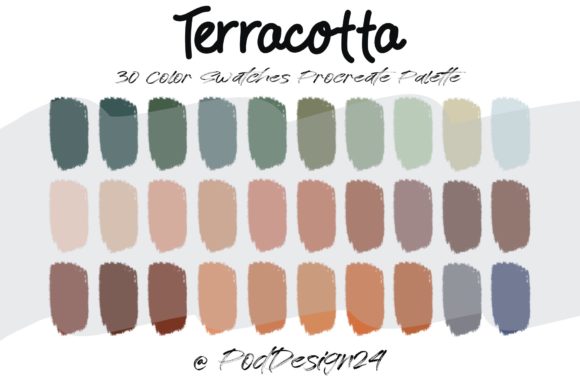
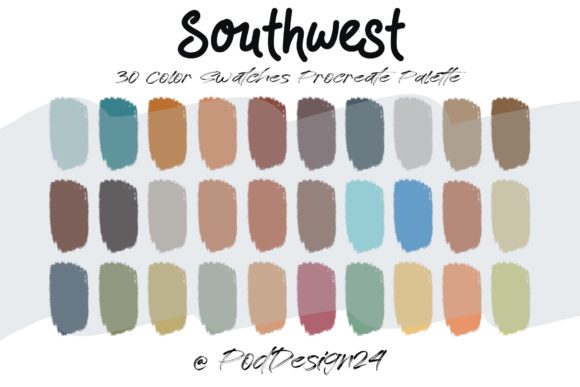
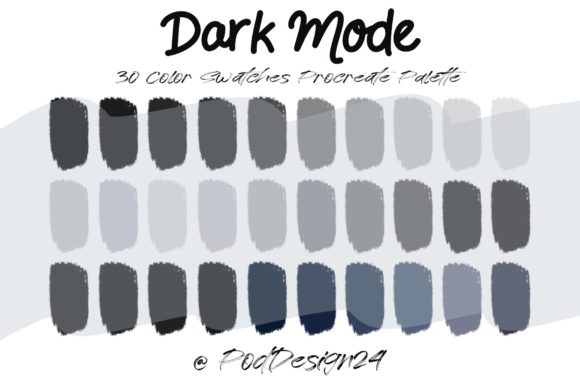
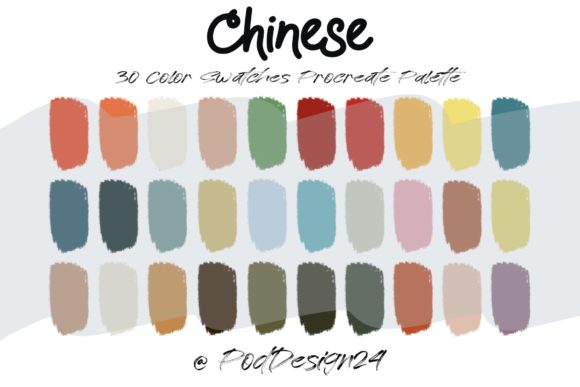
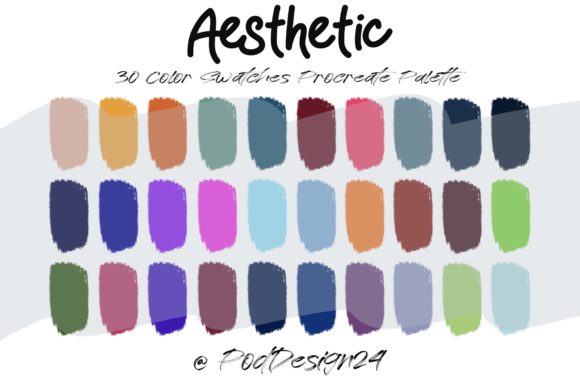
For those new to the digital art ecosystem, the term "swatch file" might sound technical. Simply put, it is a digital container that holds a specific set of colors. In Procreate, these are known as .swatches files. Instead of manually selecting and saving thirty individual colors every time you start a new project, you can import a single file that instantly populates your palette library with a curated selection.
When you purchase or download a resource described as a Procreate Color Palette Aesthetic ★ Customer Receive ZIP file, you are acquiring a compressed archive. Inside this archive, you will typically find the .swatches file ready for immediate use. This method saves hours of trial and error, allowing you to jump straight into the creative phase.
- Efficiency: Instant access to harmonious color combinations.
- Consistency: Ensures all your artworks share a recognizable style.
- Exploration: Encourages experimentation with styles you might not have chosen yourself.
How to Import and Use Your Color Palette
One of the most common hurdles for beginners is the technical process of getting external files into Procreate. However, the process is straightforward once understood. Below is a step-by-step guide to ensuring your new aesthetic tools are ready for action.
- Download and Unzip: After purchasing or downloading your resource, locate the ZIP file on your iPad. Tap on it to extract the contents. You should see the .swatches file listed.
- Open Procreate: Launch the app and open any canvas. It does not matter if it is a new blank slate or an existing work-in-progress.
- Access the Palette Menu: Tap on the color circle in the top right corner to open the color panel. Then, tap on the "Palettes" tab at the bottom of the window.
- Import the File: Look for the "+" sign or the import option (often represented by an arrow or a folder icon, depending on your version). Select "Import" and navigate to the location where you saved the unzipped .swatches file.
- Verify Installation: Once imported, your new palette will appear in the list. Tap on it to load the thirty colors into your active swatch bar.
Annotation: Please be sure the files listed above will work with your machine and software. While Procreate is exclusive to iOS, ensure your iPadOS is updated to the latest version supported by your device to avoid compatibility issues with newer file formats.
Practical Applications in Modern Creativity
The utility of a Procreate color palette aesthetic extends beyond simple illustration. In today’s digital economy, content creators, graphic designers, and social media managers rely heavily on visual consistency. Here is how these tools fit into various professional and personal contexts:
Brand Identity and Social Media
For influencers and small business owners, maintaining a cohesive Instagram feed or Pinterest board is crucial for brand recognition. Using a consistent color palette across all graphics helps establish a visual identity. By using a specific swatch file for all your digital posts, you ensure that your typography, backgrounds, and illustrations always align with your brand’s voice.
Educational Materials
Educators creating digital worksheets or presentation slides can benefit from palettes designed for readability and engagement. Soft, low-saturation palettes reduce eye strain for students, while high-contrast sets can highlight key information effectively. The ease of swapping palettes in Procreate allows teachers to adapt their materials for different subjects or age groups quickly.
Character Design and Storytelling
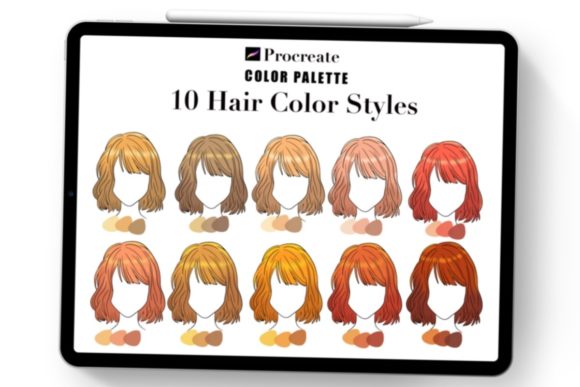
Concept artists often create multiple characters for a single narrative. Using a shared palette ensures that all characters exist in the same world. For example, if you are designing a fantasy game, a "forest realm" palette can be applied to elves, trees, and magic effects, creating a unified environmental logic.
Common Misunderstandings About Digital Palettes
Despite their benefits, there are several myths surrounding the use of pre-made color sets. Clarifying these can help artists use them more effectively.
Myth 1: Using pre-made palettes limits creativity.
In reality, constraints often fuel creativity. By removing the burden of color selection, you free up mental energy to focus on form, lighting, and storytelling. Many professional artists use base palettes and then tweak individual shades to suit specific needs.
Myth 2: One palette fits all projects.
Different subjects require different approaches. A palette suitable for a cute character design may not work for a gritty landscape. It is advisable to build a library of various aesthetics—such as vintage, neon, monochrome, and earthy—to match the diverse requirements of your portfolio.
Myth 3: Technical skills are more important than color theory.
While brush control and anatomy are vital, poor color choices can ruin a technically perfect drawing. Understanding how to use a Procreate color palette is a fundamental skill that bridges the gap between technical proficiency and artistic expression.
Maximizing the Value of Your 30-Color Set
The typical swatch file includes around thirty colors. This number is not arbitrary; it usually provides a balanced mix of shadows, mid-tones, highlights, and accent colors. To get the most out of your download:
- Analyze the Structure: Identify which colors are intended for shading and which for highlighting. Most aesthetically pleasing palettes follow a logical progression in value.
- Create Variations: Use Procreate’s adjustment tools to shift the hue or saturation of the imported colors slightly, creating custom variations while maintaining the original harmony.
- Study Real-Life References: Compare the palette against photos or real-world objects. Notice how the digital colors interpret natural light and shadow.
Conclusion
The Procreate color palette aesthetic is more than a trend; it is a practical tool for enhancing digital workflow and artistic quality. By understanding how to import, utilize, and customize these swatch files, artists can overcome choice paralysis and achieve greater consistency in their work. Whether you are a student learning the basics of color theory or a professional designer streamlining your production process, integrating curated palettes into your routine offers immediate benefits.
Remember, the goal is not to rely blindly on presets but to use them as a foundation for your unique creative vision. With the right tools and a bit of practice, you can master the art of digital color and elevate your illustrations to new heights. Ensure you check your software compatibility, enjoy the convenience of the ZIP file format, and let your creativity flow with confidence.