Mastering Textured Lettering: A Practical Guide to the Crayon Procreate Brush for Hand Lettering
Digital illustration has evolved far beyond sterile, vector-like lines. Today, artists and designers are increasingly seeking tools that replicate the tactile imperfections of traditional media. Among these tools, the Crayon Procreate Brush for Hand Lettering has emerged as a significant resource for creators who want to bridge the gap between analog warmth and digital convenience. This specific brush set is designed to mimic the waxy, gritty texture of oil pastels and crayons, offering a unique aesthetic that standard digital brushes often fail to capture.
For professionals and hobbyists alike, understanding the nuances of this tool is essential before integrating it into a workflow. It is not merely a preset; it is a simulation of physical resistance and texture. This article explores the distinct characteristics of the Crayon Procreate Brush for Hand Lettering, compares it to other digital approaches, and helps you determine if it aligns with your creative goals.
Understanding the Waxy Crayon Aesthetic in Digital Spaces
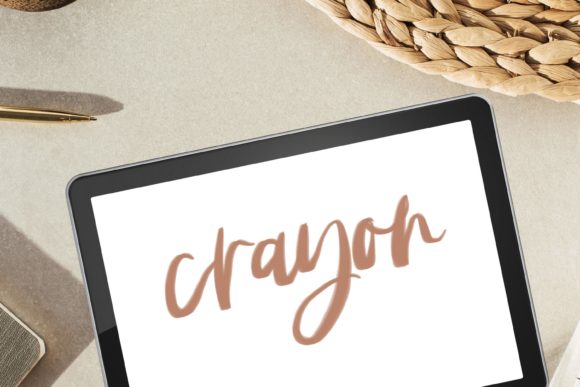
The primary appeal of the Crayon Procreate Brush for Hand Lettering and Painting lies in its ability to reproduce the "tooth" of paper and the uneven deposition of wax. Traditional oil pastels and crayons do not lay down color uniformly. They skip over the peaks of the paper grain, creating a characteristic speckled or blotchy effect. Replicating this digitally requires more than just a textured overlay; it demands a brush engine that responds dynamically to pressure, tilt, and speed.
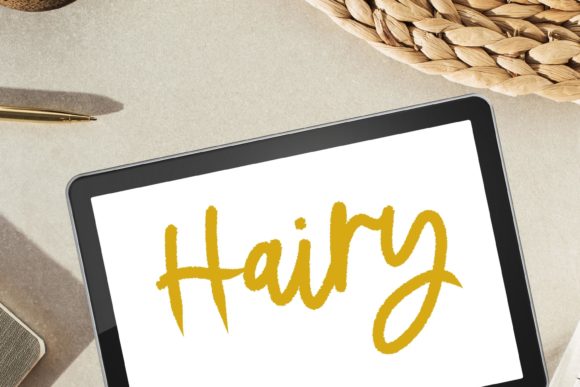
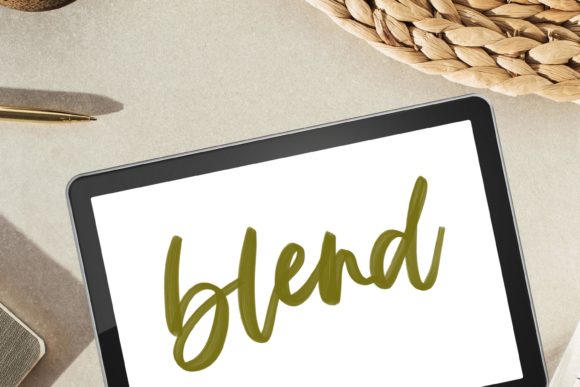
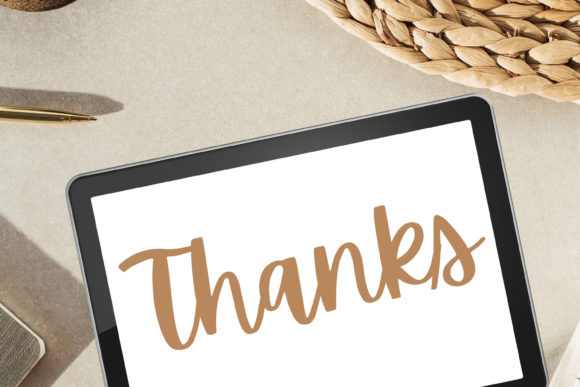
This brush set achieves that by incorporating complex noise patterns and opacity variations. When you use the Procreate Calligraphy Brush with Oil Pastel Waxy Crayon Texture, you will notice a natural bleed and fuzziness at the edges of your strokes. This is intentional. It prevents the lettering from looking too perfect or computer-generated. For modern calligraphy and hand lettering, this imperfection adds humanity and warmth, making the digital piece feel organic and approachable.
Key Textural Elements
- Grit and Grunge: The brush includes subtle granular details that simulate the friction of wax against rough paper.
- Blurry and Fuzzy Edges: Unlike sharp vector lines, these strokes have soft, diffused boundaries that mimic the way crayon wax smudges slightly.
- Blotchy Coverage: The opacity is not uniform, allowing underlying layers or paper textures to show through, creating depth.
- Smooth Texture Variation: Despite the grit, the core of the stroke remains smooth enough to ensure legibility in lettering applications.
Comparing Textured Brushes to Standard Digital Tools
When evaluating the Crayon Procreate Brush for Hand Letterin, it is helpful to compare it against standard digital alternatives. Most default Procreate brushes are designed for clarity and precision. They are excellent for technical illustrations, clean typography, and flat design. However, they often lack the emotional resonance of hand-drawn media.
Standard round brushes offer consistency but can feel sterile. In contrast, the oil pastel simulation introduces variability. This trade-off is crucial for decision-making. If your project requires crisp, scalable vectors for large-format printing, a textured raster brush may not be the ideal choice. However, for social media graphics, book covers, greeting cards, and personal art projects, the textured approach often engages viewers more effectively because it feels handmade.
Furthermore, compared to importing photos of real crayon drawings, using a dedicated Procreate Brush offers non-destructive editing. You can adjust colors, resize letters, and correct mistakes without rescanning or photographing new artwork. This hybrid approach provides the best of both worlds: the aesthetic of traditional media with the flexibility of digital workflows.
Best-Fit Use Cases for Modern Calligraphy and Painting
The versatility of the lettering brush extends beyond simple text. Its design supports a range of artistic applications, particularly where mood and atmosphere are prioritized over geometric precision.
Modern Calligraphy and Hand Lettering
Modern calligraphy thrives on contrast and flow. The waxy texture adds a layer of sophistication to script work. It is particularly effective for:
- Quotes and Typography Posters: The gritty texture makes text stand out against clean backgrounds, adding visual interest without overwhelming the message.
- Wedding Invitations and Stationery: The organic feel aligns well with rustic, bohemian, or vintage design themes.
- Branding Elements: For brands aiming to appear artisanal, handmade, or eco-friendly, textured lettering communicates values more effectively than sleek, corporate fonts.
Digital Illustration and Painting
Beyond lettering, this tool functions as a capable painting brush. Artists can use it for sketching, underpainting, or adding final textural details to digital paintings. The Oil Pastel quality allows for blending effects that resemble traditional smudging. You can layer colors to create rich, complex hues, leveraging the translucent nature of the wax simulation. This is particularly useful for creating atmospheric backgrounds or adding tactile details to character illustrations.
Technical Requirements and Workflow Considerations
Before purchasing or downloading, it is vital to understand the technical constraints. This product consists of digital files intended for Instant Download. There is no physical product shipped. This means you must have the necessary hardware and software to utilize the asset.
Compatibility: The brush is exclusively designed for use with an iPad and Procreate. It will not function in Photoshop, Illustrator, or on Android tablets running different software. Users must ensure their version of Procreate is up to date to support the latest brush engine features.
Installation Process: To maintain the integrity of the brush settings, you must download and open the files directly on your iPad into Procreate. Transferring via desktop computers can sometimes corrupt the file structure or strip away critical metadata like pressure sensitivity curves. The process is straightforward: tap the file on your iPad, and Procreate should automatically import it into your brush library.
If you encounter issues during installation or usage, support is available. The creator notes: "Don’t hesitate to contact me if you have problems using this product. I’ll do my best to help." This level of support is valuable for users who may be new to custom brush installation.
Evaluating Tradeoffs and Limitations
While the Crayon Procreate Brush for Hand Lettering offers distinct advantages, it is not a universal solution. Understanding its limitations helps in making an informed decision.
Resolution Dependence: As a raster-based brush, the output quality depends on your canvas resolution. If you plan to print very large formats, you must start with a high-resolution canvas to avoid pixelation, especially given the detailed texture of the brush.
Learning Curve: Achieving the desired look requires practice. The fuzzy and blurry nature of the brush means that precise control is harder to achieve than with a standard ink brush. Users accustomed to clean lines may need time to adapt their hand movements to accommodate the texture's unpredictability.
Style Specificity: This brush is highly stylized. It is ideal for projects requiring a grunge, textured, or handmade look. It is less suitable for minimalist, corporate, or high-tech design aesthetics where cleanliness and precision are paramount.
Making the Right Choice for Your Project
Deciding whether to incorporate the Crayon Procreate Brush for Hand Letterin into your toolkit depends on your specific creative needs. Ask yourself the following questions:
- Does my project benefit from an organic, handmade aesthetic?
- Am I working primarily within the Procreate ecosystem on an iPad?
- Do I value texture and mood over geometric precision?
- Am I comfortable troubleshooting minor technical setup issues if they arise?
If the answer to these questions is yes, this brush set offers a powerful way to elevate your digital art. It provides a shortcut to achieving complex traditional effects without the mess and cost of physical supplies. However, if your work demands strict uniformity or vector scalability, you may need to combine this tool with other resources or stick to standard digital typography tools.
Ultimately, the Procreate Calligraphy Brush with Oil Pastel Waxy Crayon Texture is a specialized instrument. It excels in creating emotive, textured, and visually rich compositions. By understanding its strengths and limitations, you can integrate it effectively into your workflow, enhancing your ability to produce compelling modern lettering and digital illustrations.