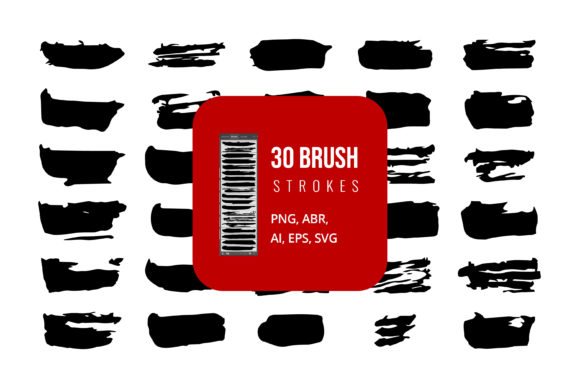
Mastering Digital Texture with a Set of Vector Brush Strokes
In the evolving landscape of digital design, the demand for authentic, hand-crafted aesthetics has never been higher. Designers, illustrators, and content creators are constantly seeking tools that bridge the gap between traditional media and modern digital workflows. A comprehensive Set of Vector Brush Strokes serves as a critical asset in this endeavor, offering versatility, scalability, and professional quality. Whether you are designing a brand identity, creating social media graphics, or illustrating complex vector art, understanding how to leverage these resources can significantly enhance your creative output.
The Versatility of File Formats in Modern Design Workflows
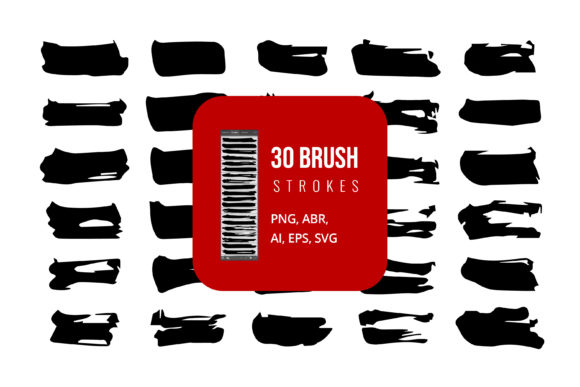
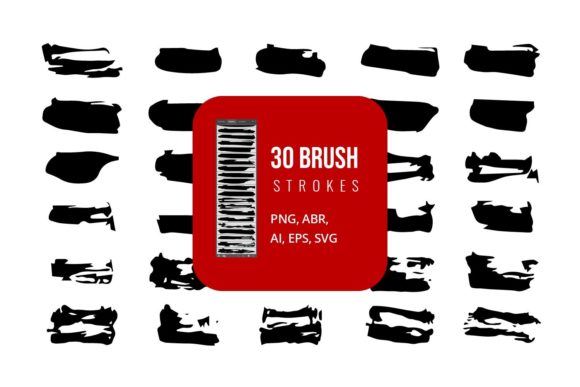
One of the most significant advantages of acquiring a high-quality brush pack is the diversity of file formats included. A robust collection typically provides files in AI, SVG, EPS, JPG, PNG, and ABR formats. This variety ensures compatibility across a wide spectrum of software applications, from industry-standard Adobe products to general office suites.
Vector Formats: AI, SVG, and EPS
Vector files are the cornerstone of scalable graphic design. When you utilize the AI, SVG, or EPS files from your brush set, you gain the ability to resize elements without any loss in quality. This is particularly crucial for large-format printing, such as banners, billboards, or vehicle wraps, where pixelation is unacceptable.
- Adobe Illustrator (AI): The native format for Illustrator allows for full editability of anchor points and paths. You can manipulate the shape of each stroke to fit your specific composition perfectly.
- Scalable Vector Graphics (SVG): Ideal for web design and development, SVGs are lightweight and code-based. They render crisply on any screen resolution, making them perfect for responsive websites and interactive user interfaces.
- Encapsulated PostScript (EPS): This universal vector format ensures compatibility with various design programs beyond Adobe, including CorelDRAW and older versions of illustration software. It is also widely supported in professional printing workflows.
Raster and Brush Formats: JPG, PNG, and ABR
While vectors offer scalability, raster formats provide immediate usability and texture fidelity. The inclusion of JPG and PNG files allows for quick drag-and-drop implementation in projects where editing the vector path is unnecessary. Furthermore, the ABR (Adobe Brush) format integrates directly into Photoshop, enabling dynamic painting experiences.
PNG files, with their transparent backgrounds, are exceptionally useful for layering textures over photographs or other digital assets. They maintain the integrity of the brush edge without the white box background often associated with JPGs. Meanwhile, ABR files transform static images into functional tools within Adobe Photoshop, allowing artists to paint with natural pressure sensitivity and variation, mimicking the feel of real ink or paint on paper.
Integration Across Software Platforms
The utility of a Set of Vector Brush Strokes extends far beyond specialized design software. Its adaptability makes it a valuable resource for professionals in various fields, including marketing, education, and corporate communications.
Adobe Creative Cloud Ecosystem
For users of Adobe Creative Cloud, these brushes are indispensable. In Adobe Illustrator, you can use the AI and EPS files to construct complex logos or illustrations. The vector nature allows you to change colors instantly to match brand guidelines. In Adobe Photoshop, loading the ABR brush file opens up a world of textural possibilities. You can create custom brushes that respond to tablet pressure, adding depth and organic feel to digital paintings, photo manipulations, and retouching projects.
Microsoft Office and Presentation Tools
Contrary to popular belief, high-end design assets are not exclusive to designers. Professionals using Microsoft Word and PowerPoint can significantly elevate the visual appeal of their documents and presentations by incorporating JPG or PNG images from the brush set. Adding a subtle vector stroke as a border, a divider, or a background element can break the monotony of standard templates. Since these images are high-resolution, they remain crisp when projected on large screens during business presentations or academic lectures.
Practical Applications for Diverse Audiences
The application of vector brush strokes is limited only by imagination. Different user groups can leverage these assets to solve specific visual communication challenges.
Brand Identity and Marketing
Marketing professionals and brand designers often seek to convey authenticity and human touch. A sterile, purely geometric logo may not resonate with audiences looking for artisanal or organic products. By integrating hand-drawn brush strokes into packaging design, social media posts, or advertising campaigns, brands can evoke emotions of warmth and creativity. The ability to edit these vectors means that the same brush stroke can be repurposed across multiple campaigns, ensuring consistency while allowing for variation.
Educational Resources and E-Learning
Educators and instructional designers can use these brushes to create engaging learning materials. Highlighting key concepts in digital textbooks, creating visually appealing worksheets, or designing interactive e-learning modules becomes more effective with organic visual elements. The clarity of SVG and PNG formats ensures that diagrams and annotations remain legible on both tablets and desktop computers.
Hobbyists and Digital Artists
For hobbyists and independent artists, access to professional-grade brushes democratizes high-quality design. Instead of spending hours creating custom brushes from scratch, artists can focus on composition and storytelling. The ABR brushes, in particular, allow for a natural drawing experience, making digital art more intuitive and less technical.
Technical Considerations and Best Practices
To maximize the potential of your Set of Vector Brush Strokes, it is essential to understand some technical best practices. Proper usage ensures that your final output is both visually stunning and technically sound.
Editing and Customization
When working with AI, SVG, or EPS files, always keep the original vector file intact. Create copies for editing to preserve the source asset. In Adobe Illustrator, you can use the Direct Selection Tool to modify individual anchor points, altering the curvature and thickness of the stroke. This level of control allows you to customize the brush to fit unique design constraints. For instance, you might elongate a stroke to frame a wide banner or compress it for a vertical social media story.
Color Management and Transparency
Vector brushes are typically black by default, but their true power lies in color customization. Use the color picker to apply brand-specific hex codes or CMYK values for print accuracy. Additionally, experiment with opacity and blending modes. Overlaying multiple brush strokes with reduced opacity can create complex, layered textures that mimic watercolor or ink wash effects. This technique adds depth and sophistication to flat designs.
File Optimization for Web and Print
While vector files are scalable, file size matters for web performance. When using SVGs on websites, consider minifying the code to reduce load times without affecting visual quality. For print projects, ensure that your EPS or AI files are set to the correct color profile (CMYK) and resolution requirements. Although vectors are resolution-independent, any raster effects applied within the file must meet the 300 DPI standard for high-quality printing.
Enhancing Creativity with Organic Elements
In an era dominated by digital precision, the imperfection of hand-drawn elements stands out. A Set of Vector Brush Strokes introduces controlled chaos into your designs. These imperfections—slight variations in line width, textured edges, and organic curves—capture the viewer's attention and add a human element to digital work.
Consider the psychological impact of these elements. Sharp, clean lines often convey stability and technology, while rough, textured strokes suggest creativity, energy, and approachability. By strategically placing these brushes, you can guide the viewer’s eye and influence their emotional response to your content. Whether you are designing a rugged outdoor adventure poster or a soft, inviting wedding invitation, the right brush stroke can set the tone.
Conclusion
Investing in a comprehensive Set of Vector Brush Strokes is an investment in creative flexibility. With support for AI, SVG, EPS, JPG, PNG, and ABR formats, these assets seamlessly integrate into workflows ranging from professional graphic design to everyday office tasks. By understanding the strengths of each file type and applying best practices for editing and implementation, users can unlock new levels of visual expression. Whether you are a seasoned designer, a marketing professional, an educator, or a hobbyist, these tools empower you to create distinctive, high-quality visuals that resonate with your audience.